
Google Workspace
by Tedix (upstream: Google) (Community)
Description
Full Google Workspace access — Gmail, Sheets, Calendar, Docs, Drive. Mirrors the official Google Workspace CLI with helper commands and raw API methods. Built for AI agents via Code Mode.
Website Preview
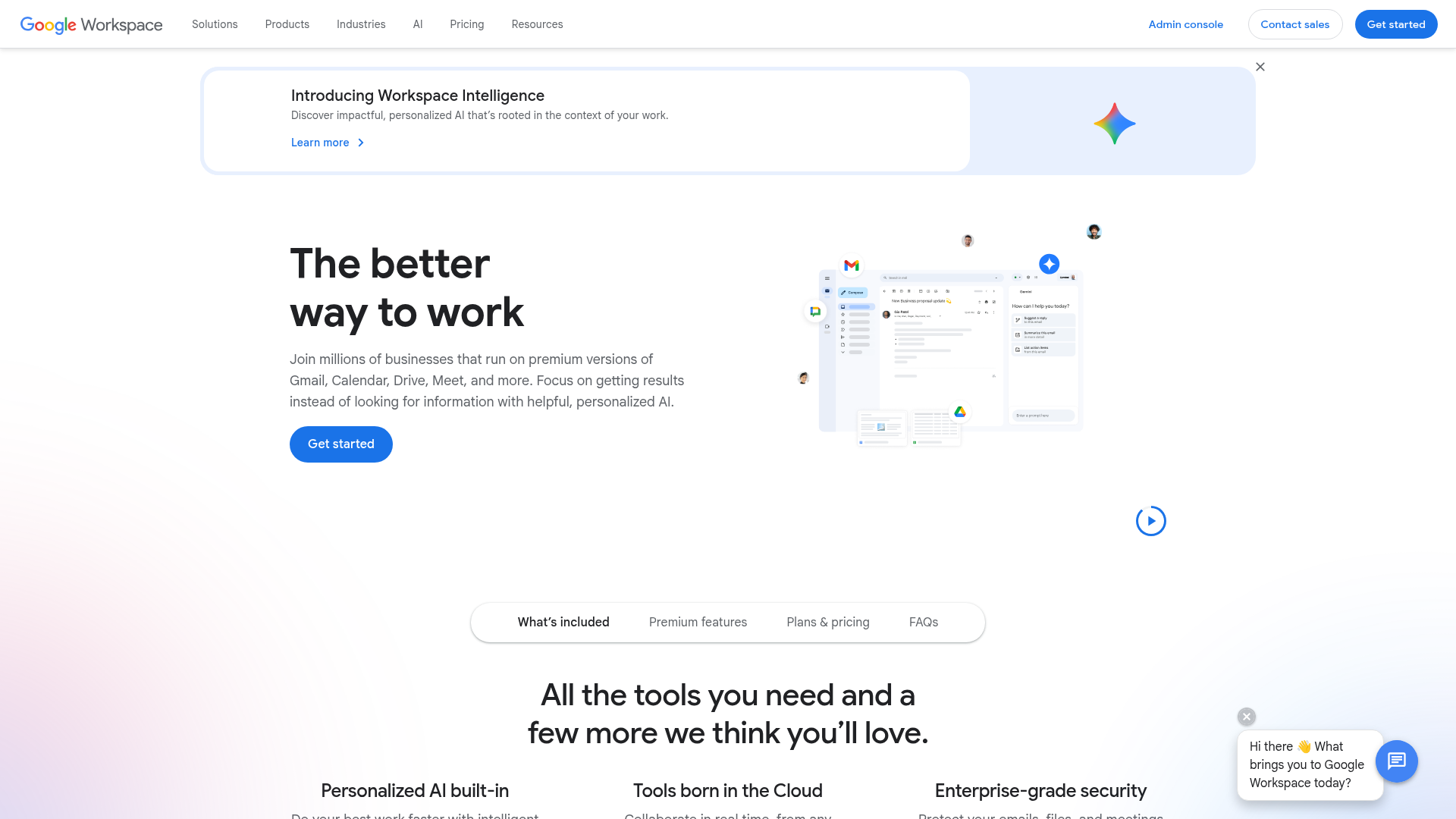
App Screenshots
Capabilities
No special capabilities listed
Publisher Intelligence
Insights and recommendations for app publishers. See how your app performs and how to improve discoverability.
Server Status google-workspace
Server is not responding. Tool discovery is paused until health checks recover.
https://google-workspace.mcp.tedix.dev/mcp Last checked: 23h ago
Tools(58)
Showing 58 of 58 tools
| Tool | Description | Flags | Test | Last Tested | |
|---|---|---|---|---|---|
calendar_agenda | Show upcoming events across calendars. Read-only. Supports date range, timezone, and calendar filtering. | read-only | Not tested | — | |
calendar_events_delete | Deletes an event. | destructive | Not tested | — | |
calendar_events_get | Returns a single event by ID. | read-only | Not tested | — | |
calendar_events_insert | Creates an event on a calendar. | — | Not tested | — | |
calendar_events_list | Returns events on a calendar. Supports time range, search, pagination. | read-only | Not tested | — | |
calendar_events_quick_add | Create event from natural text (e.g. 'Dinner with Alice 7pm tomorrow'). | — | Not tested | — | |
calendar_events_update | Updates an existing event. | — | Not tested | — | |
calendar_freebusy | Returns free/busy information for calendars. | — | Not tested | — | |
calendar_insert | Create a new event. Supports attendees, location, Google Meet, description. Use RFC 3339 times. | — | Not tested | — | |
calendar_list | Returns calendars on the user's list. | read-only | Not tested | — | |
docs_batch_update | Applies updates: insertText, deleteContent, insertTable, updateParagraphStyle, createNamedRange, etc. | — | Not tested | — | |
docs_create | Creates a new blank Google Doc. | — | Not tested | — | |
docs_get | Returns a Google Doc by ID including body, headers, footers, footnotes, styles. | read-only | Not tested | — | |
docs_write | Append text to a Google Doc at end of body. For rich formatting, use docs_batch_update. | — | Not tested | — | |
drive_about | Gets Drive info (storage quota, user info, import/export formats). | read-only | Not tested | — | |
drive_files_copy | Creates a copy of a file. | — | Not tested | — | |
drive_files_create | Creates a file (metadata only). Use for Docs, Sheets, Slides, or folders. | — | Not tested | — | |
drive_files_delete | Permanently deletes a file. Cannot be undone. | destructive | Not tested | — | |
drive_files_export | Exports a Workspace doc to another format (Doc→PDF, Sheet→CSV, etc.). | read-only | Not tested | — | |
drive_files_get | Gets file metadata by ID. | read-only | Not tested | — | |
drive_files_list | Lists files in Drive. Supports search queries via q parameter. | read-only | Not tested | — | |
drive_files_update | Updates file metadata. PATCH semantics — only specified fields change. | — | Not tested | — | |
drive_permissions_create | Share a file with a user, group, domain, or anyone. | — | Not tested | — | |
drive_permissions_list | Lists who has access to a file. | read-only | Not tested | — | |
drive_upload | Upload a file to Google Drive. MIME type auto-detected. Supports parent folder and custom filename. | — | Not tested | — | |
gmail_drafts_create | Create a new email draft. Supports plain text and HTML, recipients (to/cc/bcc), subject, and threading. The draft can later be sent via gmail_drafts_send. | — | Not tested | — | |
gmail_drafts_delete | Permanently delete a draft. Cannot be undone. | destructive | Not tested | — | |
gmail_drafts_get | Get a specific draft by its draft ID. Returns the draft message with headers and body. | read-only | Not tested | — | |
gmail_drafts_list | Lists Gmail drafts. Returns draft IDs for use with gmail_drafts_send. | read-only | Not tested | — | |
gmail_drafts_send | Send an existing Gmail draft by its draft ID. Use after creating a draft to send it. | — | Not tested | — | |
gmail_drafts_update | Replace the content of an existing draft. Pass the draft ID and new message content. | — | Not tested | — | |
gmail_forward | Forward a message to new recipients. Preserves original content and attachments. | — | Not tested | — | |
gmail_labels_create | Creates a new label. | — | Not tested | — | |
gmail_labels_list | Lists all labels in the mailbox. | read-only | Not tested | — | |
gmail_messages_delete | Permanently deletes a message. Cannot be undone. Prefer gmail_messages_trash. | destructive | Not tested | — | |
gmail_messages_get | Gets a message by ID with full payload including headers, body, and attachment metadata. | read-only | Not tested | — | |
gmail_messages_list | Lists messages in mailbox. Returns IDs — use gmail_messages_get for full content. Supports Gmail search queries. | read-only | Not tested | — | |
gmail_messages_modify | Add or remove labels on a message. | — | Not tested | — | |
gmail_messages_trash | Moves a message to trash. | — | Not tested | — | |
gmail_messages_untrash | Removes a message from trash. | — | Not tested | — | |
gmail_profile | Gets user's Gmail profile (email, messages total, threads total, history ID). | read-only | Not tested | — | |
gmail_read | Read a message body and headers. Auto-converts HTML to plain text, handles multipart/alternative and base64. | read-only | Not tested | — | |
gmail_reply | Reply to a message. Auto-sets In-Reply-To, References, threadId. Quotes original message. | — | Not tested | — | |
gmail_reply_all | Reply-all to a message. Includes all original recipients. Handles threading automatically. | — | Not tested | — | |
gmail_send | Send an email. Handles RFC 5322 formatting, MIME encoding, and base64 automatically. Supports HTML body, CC, BCC, and send-as aliases. | — | Not tested | — | |
gmail_threads_get | Gets a thread by ID with all messages. | read-only | Not tested | — | |
gmail_threads_list | Lists threads in mailbox. Supports Gmail search queries. | read-only | Not tested | — | |
gmail_triage | Show unread inbox summary with sender, subject, and date. Read-only. Supports Gmail search queries. | read-only | Not tested | — | |
sheets_append | Append rows to a spreadsheet. Use values for single row, jsonValues for bulk multi-row. | — | Not tested | — | |
sheets_batch_update | Applies updates: add/delete sheets, formatting, merge cells, sort, filter, and more. | — | Not tested | — | |
sheets_create | Creates a new spreadsheet. | — | Not tested | — | |
sheets_get | Returns spreadsheet metadata, sheets, named ranges. Grid data not included by default. | read-only | Not tested | — | |
sheets_read | Read values from a spreadsheet range. Read-only. | read-only | Not tested | — | |
sheets_values_append | Appends values after last row in a range. | — | Not tested | — | |
sheets_values_batch_get | Returns values from multiple ranges in one request. | read-only | Not tested | — | |
sheets_values_clear | Clears values from a range, preserving formatting. | — | Not tested | — | |
sheets_values_get | Returns a range of values from a spreadsheet. | read-only | Not tested | — | |
sheets_values_update | Sets values in a range. | — | Not tested | — |
Discoverability Score
Fair
62 of 100 — how easily AI agents find your app
- Description quality20/20
- Example prompts0/20
- Keyword coverage0/15
- Tool metadata20/20
- Visual assets13/20
- Endpoint health6/10
- Data freshness15/15
How to Improve
Add at least 2 example prompts. Prompt examples strongly improve app matching and click-through intent.
Increase keyword coverage (discovery + trigger) to improve retrieval for long-tail queries.
Add at least 2 screenshots that show real workflows to increase confidence and conversion.
Technical Details
- Status
- ENABLED
- Type
- AI-Powered App
- Auth
- Requires Login
- Listed on
- Official
- Added
- March 27, 2026
- Last synced
- 23h ago
- Last checked
- 23h ago
- Distribution
- Individual

