
Foxit PDF Editor
by Foxit Software Inc. (Verified Partner)
Description
Foxit PDF Editor for ChatGPT helps you manage and transform PDFs seamlessly. Upload, delete, or compare documents; create shareable links; edit, reorder, rotate, split, or merge pages; convert files to and from various formats; and compress or linearize PDFs—all within ChatGPT. Build organized packets in seconds — ready for students, professionals, or anyone needing fast PDF solutions without leaving the chat.
Website Preview
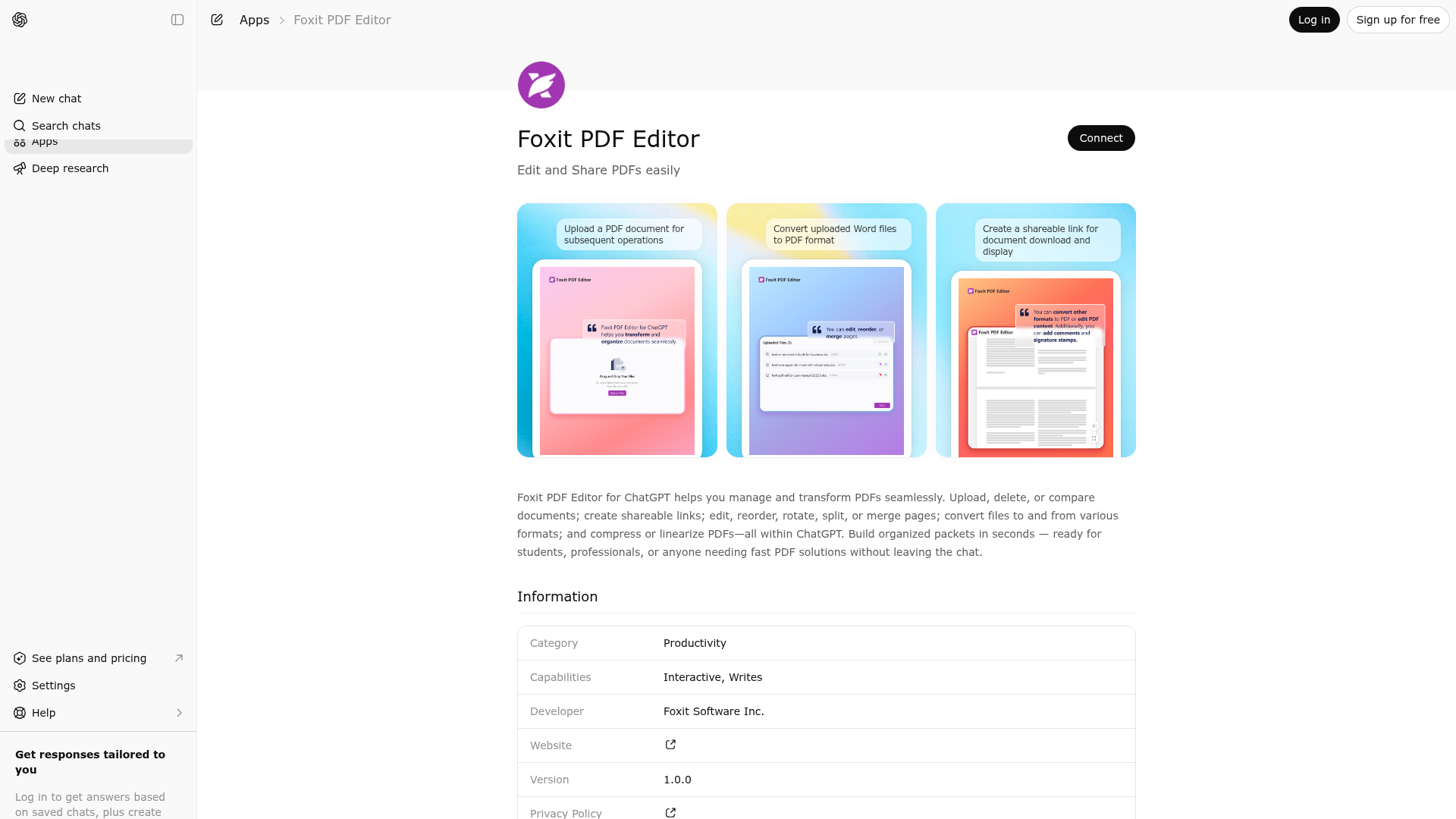
App Screenshots
Capabilities
Publisher Intelligence
Insights and recommendations for app publishers. See how your app performs and how to improve discoverability.
Server Status Foxit PDF API MCP Server v0.2.3
https://mcp-ai-assistant-azk8s.connectedpdf.com/mcp Last checked: 22h ago
Technical Details
Tools(30)
Showing 30 of 30 tools
| Tool | Description | Flags | Test | Last Tested | |
|---|---|---|---|---|---|
create_share_link | Create a time-limited public download link for an existing uploaded document. Required dependency: - document_id must be the uploaded document identifier returned by the PDF Tools widget or another prior document-upload step. This tool cannot create a share link without it. Optional parameters: - expiration_minutes: 10-1440 minutes (API default: 30 minutes) - filename: custom filename for download Returns: JSON string with: - success, message - shareUrl: public download URL - expiresAt: link expiration timestamp, if provided by the API | — | 100%Latency 983ms | May 1, 2026 | |
delete_document | Delete a document from Foxit. This will permanently delete the document from the cloud storage. Use this to clean up temporary documents after processing. Required dependency: - document_id must be the identifier of the uploaded document to delete Returns: JSON string with: - success, message | destructive | 100%Latency 931ms | May 1, 2026 | |
get_pdf_properties | CRITICAL PREREQUISITE: You MUST call show_pdf_tools first to display the upload widget. The document_id parameter comes from the upload response in the widget. Extract comprehensive properties and metadata from a PDF document. IMPORTANT: This tool returns JSON data directly, not a file documentId. Information returned: - Page count and dimensions - PDF version and file size - Encryption and security status - Digital signatures - Embedded files and fonts - Document metadata (title, author, creation date, etc.) - User permissions analysis - Page-level information (rotation, dimensions, scan detection) Configuration options: - includeExtendedInfo: Get detailed metadata (fonts, signatures, encryption details) - includePageInfo: Include per-page information (dimensions, rotation, scan detection) Use cases: - Verify PDF structure before processing - Check if PDF is password-protected - Analyze PDF compatibility - Extract document metadata - Detect scanned pages Workflow: 1. Upload PDF using upload_document tool 2. Call this tool with documentId 3. Receive JSON data with all properties 4. No download needed - data is returned directly Password-protected PDFs: - If the PDF is password-protected, provide the password via the password parameter - Without a valid password, the operation will fail with an authentication error | read-only | 100%Latency 205ms | May 1, 2026 | |
pdf_compare | CRITICAL PREREQUISITE: You MUST call show_pdf_tools first to display the upload widget. The document_id parameter comes from the upload response in the widget. Compare two PDF documents and generate a visual-diff PDF. Compares: - Text content differences - Visual layout changes - Added/removed content - Modified sections The result is a PDF report highlighting differences with: - Red annotations for deletions - Green annotations for additions - Yellow highlights for modifications Use cases: - Document version control - Contract review - Quality assurance - Change tracking Workflow: 1. Call show_pdf_tools to display the upload widget 2. Upload both PDFs using the widget 3. Call this tool with both documentIds 4. The tool automatically creates a share link and returns it Required dependencies: - document_id1 and document_id2 must be valid uploaded PDF document identifiers - password1 and password2 are only required when the corresponding PDFs are protected Returns: JSON string with: - success, message - shareUrl: public download URL for the generated diff PDF, when available - expiresAt: link expiration timestamp, if provided by the API - resultDocumentId: returned only when a share link could not be created and the generated result identifier is needed for follow-up retrieval | — | 100%Latency 275ms | May 1, 2026 | |
pdf_compress | CRITICAL PREREQUISITE: You MUST call show_pdf_tools first to display the upload widget. The document_id parameter comes from the upload response in the widget. Compress a PDF document to reduce file size. **Do not offer compression level options. Only one default compression level is currently supported.** Features: - Attempts to reduce file size; compression ratio and quality impact vary by document - Optimizes embedded resources (e.g., images) and removes redundant data where possible - Output fidelity and file size depend on the input document Maximum file size: 100MB Password-protected PDFs: - If the PDF is password-protected, provide the password via the password parameter - Without a valid password, the operation will fail with an authentication error | — | 100%Latency 203ms | May 1, 2026 | |
pdf_delete_pages | CRITICAL PREREQUISITE: You MUST call show_pdf_tools first to display the upload widget. The document_id parameter comes from the upload response in the widget. Remove specific pages from a PDF using exact page numbers/ranges. Input uses 1-based page numbers (page 1 is the first page). Examples: - "1" (delete first page) - "1,3,5" (delete pages 1, 3, 5) - "5-10" (delete pages 5 through 10) - "1,3,5-10" (mix) Behavior: - Invalid tokens are ignored and reported in the message/resultData. - Out-of-range pages are ignored (based on PDF pageCount) and reported. - Deletions are executed in descending page order to avoid index shifting issues. Returns: JSON string with: - success, message - resultDocumentId: identifier of the updated PDF, returned for follow-up operations on the generated file - shareUrl: public download URL for the updated PDF, when available - expiresAt: link expiration timestamp, if provided by the API | — | 100%Latency 188ms | May 1, 2026 | |
pdf_extract_pages | CRITICAL PREREQUISITE: You MUST call show_pdf_tools first to display the upload widget. The document_id parameter comes from the upload response in the widget. Extract selected pages into a new PDF document. Features: - Extract any pages or page ranges into a new PDF - Preserves page content and formatting Maximum file size: 100MB | — | 100%Latency 202ms | May 1, 2026 | |
pdf_extract_text | CRITICAL PREREQUISITE: You MUST call show_pdf_tools first to display the upload widget. The document_id parameter comes from the upload response in the widget. Extract plain text content from selected pages. - returns plain text and a generated .txt document. - pageRange controls which pages are processed (1-based) and also supports "all", "even", "odd". | — | 100%Latency 318ms | May 1, 2026 | |
pdf_flatten | CRITICAL PREREQUISITE: You MUST call show_pdf_tools first to display the upload widget. The document_id parameter comes from the upload response in the widget. Flatten a PDF document (merge all layers and form fields). Features: - Converts form fields to static content - Flattens annotations and markup - Merges all layers - Prevents further editing of forms Use cases: - Finalize forms before archiving - Prevent form tampering - Reduce file complexity Maximum file size: 100MB Password-protected PDFs: - If the PDF is password-protected, provide the password via the password parameter - Without a valid password, the operation will fail with an authentication error | — | 100%Latency 202ms | May 1, 2026 | |
pdf_from_excel | CRITICAL PREREQUISITE: You MUST call show_pdf_tools first to display the upload widget. The document_id parameter comes from the upload response in the widget. Convert a Microsoft Excel spreadsheet to PDF format. Supported formats: .xls, .xlsx, .xlsm, .xlsb Features: - Preserves cell formatting and formulas - Maintains charts and graphs - Keeps multiple sheets (each as separate page) - Preserves print settings Maximum file size: 100MB | — | 100%Latency 1.0s | May 1, 2026 | |
pdf_from_html | CRITICAL PREREQUISITE: You MUST call show_pdf_tools first to display the upload widget. The document_id parameter comes from the upload response in the widget. Convert an HTML file to PDF format. When to use this vs `pdf_from_url` (LLM: choose the right tool): - Use `pdf_from_html` when you already have the page content as an HTML file (e.g., “Save page as…”), or when the page is private/behind login/VPN/intranet and cannot be fetched directly by the Foxit service. - Use `pdf_from_url` when the target page is publicly accessible and you want Foxit to fetch + render it directly from the URL (no upload). Features: - Renders HTML with CSS styling - Supports embedded images - Preserves hyperlinks - Automatic page breaks Maximum file size: 100MB | — | 100%Latency 292ms | May 1, 2026 | |
pdf_from_image | CRITICAL PREREQUISITE: You MUST call show_pdf_tools first to display the upload widget. The document_id parameter comes from the upload response in the widget. Convert an image to PDF format. Supported formats: .jpg, .jpeg, .png, .gif, .bmp, .tiff Features: - Preserves image quality - Automatic page sizing to fit image - Supports multiple images (one per page) - Maintains aspect ratio Maximum file size: 100MB | — | 100%Latency 567ms | May 1, 2026 | |
pdf_from_ppt | CRITICAL PREREQUISITE: You MUST call show_pdf_tools first to display the upload widget. The document_id parameter comes from the upload response in the widget. Convert a Microsoft PowerPoint presentation to PDF format. Supported formats: .ppt, .pptx, .pptm, .ppsx Features: - Preserves slide layouts and formatting - Maintains animations (as static images) - Keeps notes and comments - One slide per PDF page Maximum file size: 100MB | — | 100%Latency 868ms | May 1, 2026 | |
pdf_from_text | CRITICAL PREREQUISITE: You MUST call show_pdf_tools first to display the upload widget. The document_id parameter comes from the upload response in the widget. Convert a plain text file to PDF format. Supported formats: .txt Features: - Preserves text content - Uses standard font and formatting - Automatic page breaks - UTF-8 encoding support Maximum file size: 100MB | — | 100%Latency 737ms | May 1, 2026 | |
pdf_from_url | Convert a live web page (URL) directly to a PDF. ✅ No upload needed: This tool takes a URL and asks the Foxit Cloud PDF API to render that page server-side. Important limitations (LLM: read before choosing this tool): - The URL must be publicly reachable by the Foxit service. - Pages requiring login, cookies, VPN/intranet access, or complex anti-bot protections may fail or render incomplete. - JavaScript is supported but with time/feature limits (dynamic sites may differ from what you see in your browser). If the target page is NOT publicly accessible, use one of these instead: - Save the page as HTML/PDF locally, upload it, then call `pdf_from_html` (HTML) or just keep the uploaded PDF. Features: - Renders live web pages into PDF - Includes CSS styling and images - Preserves hyperlinks - Automatic page breaks Workflow: 1. Call this tool with `url` (and optional page size) 2. Wait for async task completion (handled internally) 3. Returns `resultDocumentId` plus a share link (when share creation succeeds) | — | 100%Latency 646ms | May 1, 2026 | |
pdf_from_word | CRITICAL PREREQUISITE: You MUST call show_pdf_tools first to display the upload widget. The document_id parameter comes from the upload response in the widget. Convert a Microsoft Word document to PDF format. Supported formats: .doc, .docx, .rtf, .dot, .dotx, .docm, .dotm, .wpd Features: - Preserves text formatting and styles - Maintains tables and images - Keeps headers and footers - Preserves page breaks and sections Maximum file size: 100MB Workflow: 1. Upload Word document using upload_document tool 2. Call this tool with the documentId 3. Wait for conversion to complete 4. The tool automatically creates a share link and returns it | — | 100%Latency 920ms | May 1, 2026 | |
pdf_linearize | CRITICAL PREREQUISITE: You MUST call show_pdf_tools first to display the upload widget. The document_id parameter comes from the upload response in the widget. Linearize a PDF document for fast web viewing. Features: - Optimizes PDF for progressive download - Enables page-at-a-time display in web browsers - Improves user experience for large PDFs - No visual changes to content Use cases: - Web-based PDF viewing - Streaming large documents - Improving load times Maximum file size: 100MB Password-protected PDFs: - If the PDF is password-protected, provide the password via the password parameter - Without a valid password, the operation will fail with an authentication error | — | 100%Latency 202ms | May 1, 2026 | |
pdf_merge | CRITICAL PREREQUISITE: You MUST call show_pdf_tools first to display the upload widget. The document_id parameter comes from the upload response in the widget. Merge multiple PDF documents into a single PDF. Features: - Combines PDFs in the specified order - Attempts to preserve bookmarks/links where supported (results may vary) - Output metadata/properties may differ from inputs Maximum file size: 100MB per document Password-protected PDFs: - If any PDFs are password-protected, provide passwords via the passwords parameter - passwords list must match the length of document_ids - Use None for documents without passwords - Example: passwords=[None, "password123", None] for 3 documents where only the 2nd is protected | — | 100%Latency 203ms | May 1, 2026 | |
pdf_reorder_pages | CRITICAL PREREQUISITE: You MUST call show_pdf_tools first to display the upload widget. The document_id parameter comes from the upload response in the widget. Move specified pages to a target position. Input uses 1-based page numbers (page 1 is the first page). | — | 100%Latency 189ms | May 1, 2026 | |
pdf_rotate_pages | CRITICAL PREREQUISITE: You MUST call show_pdf_tools first to display the upload widget. The document_id parameter comes from the upload response in the widget. Rotate specific pages in a PDF using exact page numbers/ranges. Input uses 1-based page numbers (page 1 is the first page). Rotation can be provided as: - 0 / 90 / 180 / 270 (number) - "0" / "90" / "180" / "270" (string) - One of the API enum strings: ROTATE_0, ROTATE_CLOCKWISE_90, ROTATE_180, ROTATE_COUNTERCLOCKWISE_90. Example operation: { "type": "ROTATE_PAGES", "pages": [4, 5, 6], "rotation": "ROTATE_CLOCKWISE_90" } Behavior: - Invalid tokens are ignored and reported in the message/resultData. - Out-of-range pages are ignored (based on PDF pageCount) and reported. Returns: JSON string with: - success, message - resultDocumentId: identifier of the updated PDF, returned for follow-up operations on the generated file - shareUrl: public download URL for the updated PDF, when available - expiresAt: link expiration timestamp, if provided by the API | — | 100%Latency 205ms | May 1, 2026 | |
pdf_split | CRITICAL PREREQUISITE: You MUST call show_pdf_tools first to display the upload widget. The document_id parameter comes from the upload response in the widget. Split a PDF document into multiple files by fixed page count. - The API requires pageCount (pages per output file). - The output is a ZIP document containing the split PDFs. Example: - page_count=10 splits the PDF into files of 10 pages each (last file may have fewer pages). Maximum file size: 100MB | — | 100%Latency 200ms | May 1, 2026 | |
pdf_to_excel | CRITICAL PREREQUISITE: You MUST call show_pdf_tools first to display the upload widget. The document_id parameter comes from the upload response in the widget. Convert PDF to Microsoft Excel format. Output format: .xlsx Features: - Extracts tables and data - Preserves cell formatting - Multiple sheets for multi-page PDFs - Editable spreadsheet Best for: PDFs containing tabular data Maximum file size: 100MB Password-protected PDFs: - If the PDF is password-protected, provide the password via the password parameter - Without a valid password, the operation will fail with an authentication error | — | 100%Latency 201ms | May 1, 2026 | |
pdf_to_html | CRITICAL PREREQUISITE: You MUST call show_pdf_tools first to display the upload widget. The document_id parameter comes from the upload response in the widget. Convert PDF to HTML format. Output format: .html Features: - Preserves text and formatting - Maintains hyperlinks - Includes images - Responsive HTML output Maximum file size: 100MB Password-protected PDFs: - If the PDF is password-protected, provide the password via the password parameter - Without a valid password, the operation will fail with an authentication error | — | 100%Latency 201ms | May 1, 2026 | |
pdf_to_image | CRITICAL PREREQUISITE: You MUST call show_pdf_tools first to display the upload widget. The document_id parameter comes from the upload response in the widget. Convert PDF pages to images. Output formats: .jpg, .png, .tiff (returned as .zip for multiple pages) Features: - High-quality image rendering - Optional page range selection - Configurable DPI/resolution - Multiple format support Maximum file size: 100MB Password-protected PDFs: - If the PDF is password-protected, provide the password via the password parameter - Without a valid password, the operation will fail with an authentication error | — | 100%Latency 215ms | May 1, 2026 | |
pdf_to_ppt | CRITICAL PREREQUISITE: You MUST call show_pdf_tools first to display the upload widget. The document_id parameter comes from the upload response in the widget. Convert PDF to Microsoft PowerPoint format. Output format: .pptx Features: - One slide per PDF page - Preserves images and graphics - Maintains basic layout - Editable presentation Maximum file size: 100MB Password-protected PDFs: - If the PDF is password-protected, provide the password via the password parameter - Without a valid password, the operation will fail with an authentication error | — | 100%Latency 201ms | May 1, 2026 | |
pdf_to_text | CRITICAL PREREQUISITE: You MUST call show_pdf_tools first to display the upload widget. The document_id parameter comes from the upload response in the widget. Convert PDF to plain text format. Output format: .txt Features: - Extracts all text content - Preserves text order - UTF-8 encoding - Optional page range selection Maximum file size: 100MB Password-protected PDFs: - If the PDF is password-protected, provide the password via the password parameter - Without a valid password, the operation will fail with an authentication error | — | 100%Latency 207ms | May 1, 2026 | |
pdf_to_word | CRITICAL PREREQUISITE: You MUST call show_pdf_tools first to display the upload widget. The document_id parameter comes from the upload response in the widget. Convert PDF to Microsoft Word format. Output format: .docx Features: - Preserves text formatting - Maintains tables and images - Keeps page layout structure - Editable Word document Maximum file size: 100MB Workflow: 1. Upload PDF using upload_document tool 2. Call this tool with the documentId 3. Wait for conversion to complete 4. The tool automatically creates a share link and returns it Password-protected PDFs: - If the PDF is password-protected, provide the password via the password parameter - Without a valid password, the operation will fail with an authentication error | — | 100%Latency 286ms | May 1, 2026 | |
show_pdf_tools | This is the ENTRY POINT for all file operations. You MUST call this tool first before performing any file processing operations to allow users to upload documents. Display the PDF tools widget for uploading and managing PDF documents. Features: - 📤 Upload PDF documents (drag-and-drop or browse) - 📋 View uploaded documents list - 🗑️ Delete unwanted documents - 🔄 Real-time status updates Usage scenarios: - User mentions "upload PDF", "process document", "convert file", etc. - Before executing any operation that requires a document_id - User wants to view uploaded documents Supported file formats: - PDF documents - Microsoft Office documents (Word, Excel, PowerPoint) - Images (PNG, JPEG, TIFF, BMP, GIF) - Text files - HTML files Maximum file size: 100MB | read-only | 100%Latency 188ms | May 1, 2026 | |
show_pdf_viewer | Display the PDF viewer widget for viewing a specific PDF document by document ID. When you get a share link or have a document ID, use this tool to show the PDF viewer. Or user want to open a PDF document in viewer mode, call this tool with tdocument_id. Optional parameters: document_id: The document ID of the PDF document to view. Returns: JSON string with widget display status and document ID | read-only | 100%Latency 187ms | May 1, 2026 | |
upload_document | **INTERNAL ONLY — DO NOT CALL FROM GPT/LLM.** Upload a document and return the document identifier for later tool calls. This tool is intended for the PDF Tools widget / backend workflow. In user conversations, GPT/LLM must NOT invoke this tool directly. To upload a document, you MUST call **show_pdf_tools** to display the upload widget. The widget will handle uploading and will return a document_id (resultDocumentId) for follow-up tools. Required dependencies: - file_content must be the base64-encoded file bytes Optional parameters: - file_name custom filename for upload Returns: JSON string with: - success, message - resultDocumentId: required by follow-up tools that operate on the uploaded document Privacy behavior: This tool returns only the uploaded document identifier required for later document operations. It does not echo file content, file name, share links, tokens, or request debug data. | — | 100%Latency 394ms | May 1, 2026 |
Discoverability Score
Fair
62 of 100 — how easily AI agents find your app
- Description quality20/20
- Example prompts0/20
- Keyword coverage0/15
- Tool metadata20/20
- Visual assets13/20
- Endpoint health10/10
- Data freshness11/15
How to Improve
Add at least 2 example prompts. Prompt examples strongly improve app matching and click-through intent.
Increase keyword coverage (discovery + trigger) to improve retrieval for long-tail queries.
Add at least 2 screenshots that show real workflows to increase confidence and conversion.
Technical Details
- Status
- ENABLED
- Type
- AI-Powered App
- Auth
- Open Access
- Listed on
- ChatGPT
- Added
- March 6, 2026
- Last synced
- May 3, 2026
- Last checked
- 22h ago
- Version
- 0.2.3
- Distribution
- Ecosystem Directory

