Descope
by Descope (Tedix-built MCP) (Community)
Description
Descope Management API — Full user lifecycle, tenant management, SSO/SAML/OIDC configuration, RBAC (roles & permissions), access keys, flows, themes, audit logs, FGA (fine-grained authorization), and project administration. 145 tools across 20 namespaces.
Website Preview
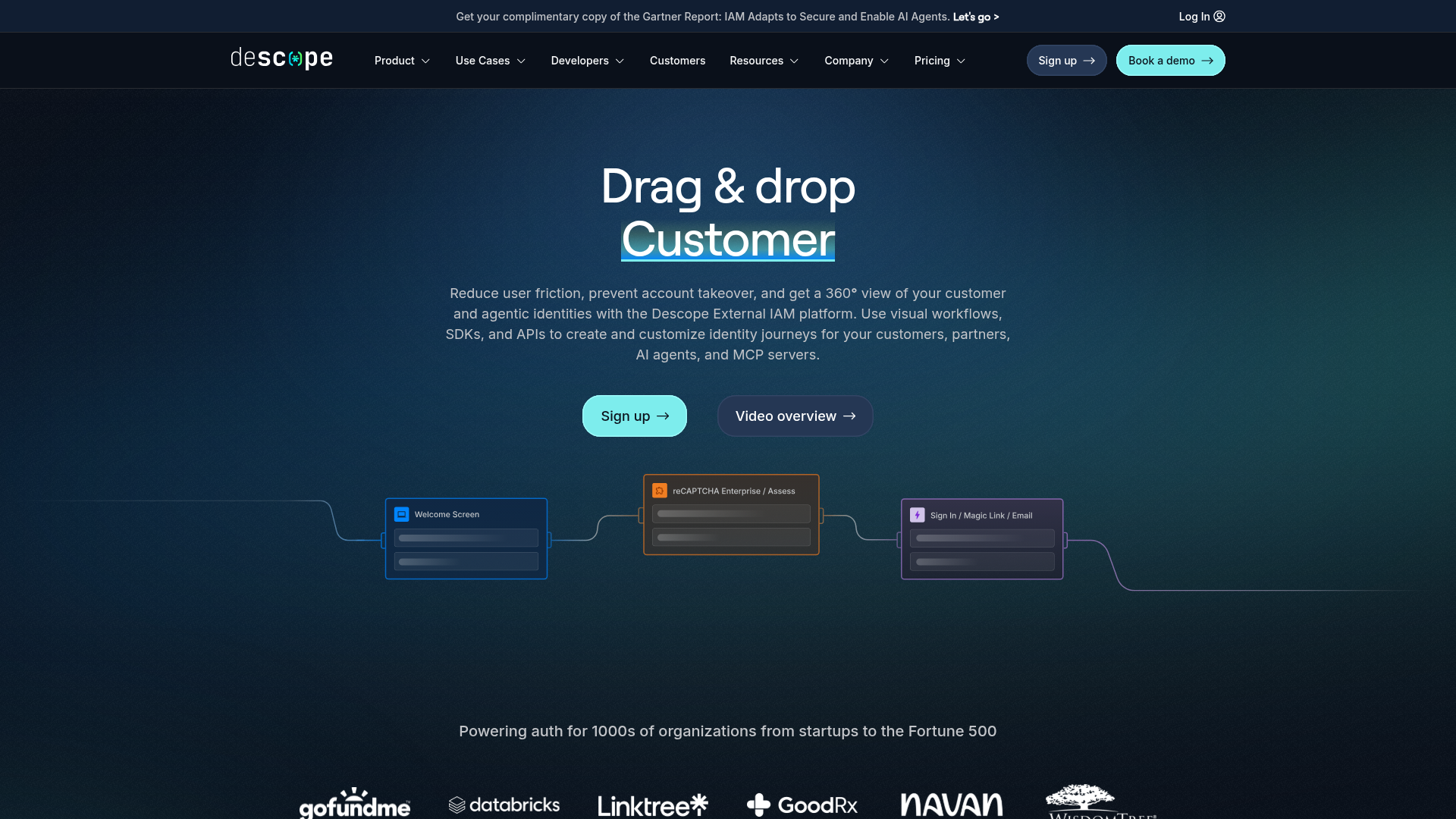
App Screenshots
Capabilities
Publisher Intelligence
Insights and recommendations for app publishers. See how your app performs and how to improve discoverability.
Server Status Descope
Server is not responding. Tool discovery is paused until health checks recover.
https://descope.mcp.tedix.dev/mcp Last checked: 3h ago
Technical Details
Tools(165)
Showing 165 of 165 tools
| Tool | Description | Flags | Test | Last Tested | |
|---|---|---|---|---|---|
activate_access_key | ### Activate an existing access key, using a valid management key. This API endpoint allows administrators to activate an existing access key. ### Next Steps Once you have reactivated the access key, you can utilize it to configure external items such as [SCIM](/api/scimmanagement/), or use it to [exchange for a JWT](/api/access-keys/exchange-key). ### See also - See [Access Key Management](/access-keys) for further details on managing access keys. | — | Not tested | — | |
activate_access_keys | ### Activate existing access keys in batch, using a valid management key. This API endpoint allows administrators to activate existing access keys in batch. ### Next Steps Once you have reactivated the access key, you can utilize it to configure external items such as [SCIM](/api/scimmanagement/), or use it to [exchange for a JWT](/api/access-keys/exchange-key). ### See also - See [Access Key Management](/access-keys) for further details on managing access keys. | — | Not tested | — | |
anonymous | ### Anonymous User Anonymous Users are identified with a unique Descope JWT type. Eventually, create a token that we can use as the defined anonymous identity. Signed by Descope. For more info, please refer to our anonymous users documentation. | — | Not tested | — | |
check | ### Check FGA permission This endpoint allows you to check if a target has a specific relation to a resource using Fine-Grained Authorization. | — | Not tested | — | |
clone_project | ### Clone a project utilizing a management key. This endpoint allows you to clone the current project, including its settings and configurations. _Note: This requires a pro or enterprise tier licenses. Users, tenants and access keys are not cloned._ ### See Also - See [Managing Environments](/customize/environments/) for details about managing environments. | — | Not tested | — | |
configure_password_settings | ### Update password settings for a tenant This endpoint allows you to update the password settings of a given tenant. ### See Also - See [tenant password settings](/customize/tenant#passwords) for details about tenant password settings. | — | Not tested | — | |
configure_ssooidc_settings | ### Configure the OIDC settings of a tenant, using a valid management key. This API endpoint will configure the OIDC settings on a tenant utilizing a valid management key. This endpoint accepts the OIDC configuration settings as well as the attribute mapping you would like to be configured on the SAML settings. ### See also - See [SSO Configuration](/sso) for further details on managing SSO Configurations on a tenant. | — | Not tested | — | |
configure_ssosaml_settings | ### Configure the SAML Settings, using a valid management key. This API endpoint will configure the SAML settings on a tenant utilizing a valid management key. This API endpoint accepts idpURL, entityId, idpCert, and redirectURL which will be applied to the tenant under SSO Configuration section and will select the option to "Enter the connection details manually" This endpoint also accepts the attribute mapping you would like to be configured on the SAML settings. These configurations will need to be captured directly from your idp provider. The values for each field can be obtained from the admin console of the identity provider. Alternatively, administrators can configure SAML without applying these setting manually via [Configure SAML Metadata URL](/api/management/tenants/sso/configure-sso-saml-settings-by-metadata) ### See also - See [SSO Configuration](/sso) for further details on managing SSO Configurations on a tenant. | — | Not tested | — | |
configure_ssosaml_settings_by_metadata | ### Configure the SAML Metadata URL, using a valid management key. This API endpoint will configure the SAML Metadata URL on a tenant utilizing a valid management key. This API endpoint accepts idpMetadataURL which will be applied to the tenant under SSO Configuration section and will select the option to "Retrieve the connection details dynamically using a metadata URL" This endpoint also accepts the attribute mapping you would like to be configured on the SAML settings. This Metadata URL can can be obtained from the admin console of the identity provider. Configuring SAML via Metadata URL allows administrators to configure SAML without applying these setting manually via [Configure SAML Settings](/api/management/tenants/sso/configure-sso-saml-settings) ### See also - See [SSO Configuration](/sso) for further details on managing SSO Configurations on a tenant. | — | Not tested | — | |
configure_tenant_settings | ### Update session settings for a tenant This endpoint allows you to update the session settings of a given tenant. ### See Also - See [tenant session settings](/customize/tenant#session-management) for details about tenant session settings. | — | Not tested | — | |
create_access_key | ### Create an access key, using a valid management key. This API endpoint allows administrators to create an access key. During the creation of the access key, you can set the name, expiration time, roles and tenant:role pairs to associated with the key. ### Next Steps Once you have the access key, you can utilize it to configure external items such as [SCIM](/api/scimmanagement/), or use it to [exchange for a JWT](/api/access-keys/exchange-key). ### See also - See [Access Key Management](/access-keys) for further details on managing access keys. | — | Not tested | — | |
create_audit_event | ### Create an audit log event, using a valid management key. This API endpoint allows you to create an audit log utilizing various parameters and returns the results in JSON format. | — | Not tested | — | |
create_fga_relations | ### Get FGA relations This endpoint allows you to retrieve relations for a given target or resource using Fine-Grained Authorization. | — | Not tested | — | |
create_fga_schema | ### Save FGA schema This endpoint allows you to save (create or update) the Fine-Grained Authorization schema for your project. | — | Not tested | — | |
create_outbound_app | ### Create outbound application This endpoint allows you to create a new outbound application. | — | Not tested | — | |
create_permission | ### Create a permission, using a valid management key. This API endpoint allows administrators to create a new permission. The endpoint takes the following two parameters: - name (required) - description (optional) ### Next Steps Once you have this data, you can utilize the newly created role to [Create Roles](/api/management/roles/create-role) or [Update Roles](/api/management/roles/update-role) ### See also - See [User Authorization](/manage/roles/) for further details on managing roles and permissions. | — | Not tested | — | |
create_relations | Create a list of authz relations. | — | Not tested | — | |
create_role | ### Create a role, using a valid management key. This API endpoint allows administrators to create a new role. The endpoint takes the following three parameters: - name (required) - description (optional) - permissionNames (optional) ### See also - See [User Authorization](/manage/roles/) for further details on managing roles and permissions. | — | Not tested | — | |
create_ssooidc_application | ### Create OIDC Application within a project This endpoint creates an OIDC Application within your Descope project. ### See Also - Review our [documentation](/manage/idpapplications/) around Applications within Descope. | — | Not tested | — | |
create_ssosaml_application | ### Create SAML Application within a project This endpoint creates a SAML Application within your Descope project. ### See Also - Review our [documentation](/manage/idpapplications/) around Applications within Descope. | — | Not tested | — | |
create_tenant | ### Create a new tenant, using a valid management key. This API endpoint will create a new tenant utilizing a valid management key. Creation of a new tenant can set the name, id, and selfProvisioningDomains. The id and selfProvisioningDomains are not mandatory. The id will be autogenerated if not provided. The response will always include the tenantId. ### Next Steps - You can then add users to the tenant via [Update User](/api/management/users/update-user) or [Create User](/api/management/users/create-user) - You can also apply sso configurations to the tenant via the [SSO Management API](/api/ssomanagement/) ### See also - See [Tenant Management](/management/tenant-management) for further details on managing tenants. | — | Not tested | — | |
create_third_party_application | Create a new third party application, using a valid management key. | — | Not tested | — | |
create_user | ### Create a new user, using a valid management key. This API endpoint will create a new user utilizing a valid management key. This API endpoint allows you to configure all aspects of a user: - loginId - email - phone - verified settings (phone, email) - one must be set to true - displayName - roleNames - Tenant configurations - which tenantIds, which roleNames. The userTenants can include multiple items Ex: ``` "userTenants": [ { "tenantId": "T2IMjmRfYTQHlbaastz3im59ERS3", "roleNames": [ "Test" ] }, { "tenantId": "T2Igau6dX1R6SkomtFCdBLrc3r67", "roleNames": [ "Test" ] } ``` Additionally, you can create a user with multiple login IDs by passing an array of loginIds in string format within the `additionalIdentifiers` key. ### Next Steps Once the user is created, the user can then login utilizing any sign-in api supported. This will then switch the user from invited to active. ### See also - See [Manage User](/manage/users) for further details on managing users. - See [The User Object](/api/overview#the-user-object) for further details on the user object. | — | Not tested | — | |
create_user_custom_attribute | ### Create a custom attributes to configure on users within a project, using a valid management key. This API endpoint will create a custom attribute within a project. ### See also - See [Custom Attributes](/manage/users#custom-user-attributes) for further details on custom user attributes - See [Manage Users](/manage/users) for further details on managing users. - See [The User Object](/api/overview#the-user-object) for further details on the user object. | — | Not tested | — | |
create_users | ### Batch Create Users, using a valid management key. This API endpoint will batch create new users utilizing a valid management key. This API endpoint allows you to configure all aspects of a user: - loginId - email - phone - verified settings (phone, email) - one must be set to true - displayName - roleNames - Tenant configurations - which tenantIds, which roleNames. The userTenants can include multiple items Ex: ``` "userTenants": [ { "tenantId": "T2IMjmRfYTQHlbaastz3im59ERS3", "roleNames": [ "Test" ] }, { "tenantId": "T2Igau6dX1R6SkomtFCdBLrc3r67", "roleNames": [ "Test" ] } ``` Additionally, you can create a user with multiple login IDs by passing an array of loginIds in string format within the `additionalIdentifiers` key. You can also decide whether to invite the users, configure the inviteUrl, and whether to send invites via email or SMS. When importing with hashed passwords, see [this guide](/migrate/custom#importing-passwords) for further detailed configuration of password hash formats. ### Next Steps Once the user is created, the user can then login utilizing any sign-in api supported. This will then switch the user from invited to active. ### See also - See [Manage User](/manage/users) for further details on managing users. - See [The User Object](/api/overview#the-user-object) for further details on the user object. | — | Not tested | — | |
deactivate_access_key | ### Deactivate an existing access key, using a valid management key. This API endpoint allows administrators to deactivate an existing access key. Once the access key has been deactivated, it's access will be revoked until reactivated. ### See also - See [Access Key Management](/access-keys) for further details on managing access keys. | — | Not tested | — | |
deactivate_access_keys | ### Deactivate existing access keys in batch, using a valid management key. This API endpoint allows administrators to deactivate existing access keys in batch. Once the access keys have been deactivated, their access will be revoked until reactivated. ### See also - See [Access Key Management](/access-keys) for further details on managing access keys. | — | Not tested | — | |
delete_access_key | ### Delete an existing access key, using a valid management key. This API endpoint allows administrators to delete an existing access key. Once the access key has been deleted, it's access will be revoked. ### See also - See [Access Key Management](/access-keys) for further details on managing access keys. | — | Not tested | — | |
delete_access_keys | ### Delete existing access keys in batch, using a valid management key. This API endpoint allows administrators to delete existing access keys in batch. Once the access keys have been deleted, their access will be revoked. ### See also - See [Access Key Management](/access-keys) for further details on managing access keys. | — | Not tested | — | |
delete_all_fga_relations | Delete all project FGA relations | destructive | Not tested | — | |
delete_all_test_users | ### Delete all test users This endpoint is used to delete all test users from a project. This action will delete these users forever and they will not be recoverable. ### See Also - See [Manage Test Users](/manage/testusers/) for more information on test users. | destructive | Not tested | — | |
delete_fga_relations | ### Delete FGA relations This endpoint allows you to delete relations using Fine-Grained Authorization. | — | Not tested | — | |
delete_flows | ### Delete a flow within a project utilizing a management key. This endpoint is used to delete a flow from a project by giving an existing flow ID to be deleted. ### See Also - See [Flow Overview](/customize/flows/) for more information on flows. - See [Manage Flows](/customize/manage_flows/) for more information on managing (export, import, delete, disable, enable) flows. | — | Not tested | — | |
delete_namespace | Delete an authz namespace and remove all related relations. | — | Not tested | — | |
delete_outbound_app | ### Delete outbound application This endpoint allows you to delete an outbound application. | — | Not tested | — | |
delete_outbound_app_token_by_id | Delete outbound application token by id, using a valid management key. | destructive | Not tested | — | |
delete_outbound_app_user_tokens | Delete outbound application tokens by appId or userId, using a valid management key. | destructive | Not tested | — | |
delete_permission | ### Delete a permission, using a valid management key. This API endpoint allows administrators to delete an existing permission. The endpoint takes the following one parameter: - name (required) ### See also - See [User Authorization](/manage/roles/) for further details on managing roles and permissions. | — | Not tested | — | |
delete_project | ### Delete a project utilizing a management key. This endpoint allows you to delete a project. This action is irreversible, use with caution. ### See Also - See [Managing Environments](/customize/environments/) for details about managing environments. | — | Not tested | — | |
delete_relation_definition | Delete an authz relation definition for your project and remove all related relations. | — | Not tested | — | |
delete_relations | Delete a list of authz relations. | — | Not tested | — | |
delete_relations_for_resources | Delete all relations for the given list of resources. | — | Not tested | — | |
delete_role | ### Delete a role, using a valid management key. This API endpoint allows administrators to delete an existing role. The endpoint takes the following one parameter: - name (required) ### See also - See [User Authorization](/manage/roles/) for further details on managing roles and permissions._override/App.tsx | — | Not tested | — | |
delete_roles | ### Delete roles in batch, using a valid management key. This API endpoint allows administrators to delete roles in batch. The endpoint takes the following one parameter: - roleNames (required) ### See also - See [User Authorization](/manage/roles/) for further details on managing roles and permissions. | — | Not tested | — | |
delete_schema | Delete an authz schema thus removing authz from your project. | — | Not tested | — | |
delete_sso_application | ### Delete an Application within a project This endpoint deletes an Application within your Descope project. ### See Also - Review our [documentation](/manage/idpapplications/) around Applications within Descope. | — | Not tested | — | |
delete_sso_settings | ### Delete the current SAML/OIDC configuration settings of a tenant, using a valid management key. This API endpoint allows you to delete the current SAML/OIDC configuration settings of a tenant. Use this with caution as this endpoint deletes the configuration and is irreversible. ### See also - See [SSO Configuration](/sso) for further details on managing SSO Configurations on a tenant. | destructive | Not tested | — | |
delete_tenant | ### Delete a tenant, using a valid management key. This API endpoint will delete a tenant utilizing a valid management key based on the provided user tenandId. ### See also - See [Tenant Management](/management/tenant-management) for further details on managing tenants. | — | Not tested | — | |
delete_third_party_application | Delete a third party application, using a valid management key. | — | Not tested | — | |
delete_third_party_application_consents | Delete third party applications consents, using a valid management key. | — | Not tested | — | |
delete_third_party_application_tenant_consents | Delete third party applications consents by tenant, using a valid management key. | — | Not tested | — | |
delete_third_party_applications | Delete multiple third party applications in batch, using a valid management key. | — | Not tested | — | |
delete_user | ### Delete a user, using a valid management key. This API endpoint will delete a user utilizing a valid management key based on the provided user loginId. ### See also - See [Manage Users](/manage/users) for further details on managing users. - See [The User Object](/api/overview#the-user-object) for further details on the user object. | — | Not tested | — | |
delete_user_custom_attribute | ### Delete a custom attributes to configure on users within a project, using a valid management key. This API endpoint will delete a custom attribute within a project. ### See also - See [Custom Attributes](/manage/users#custom-user-attributes) for further details on custom user attributes - See [Manage Users](/manage/users) for further details on managing users. - See [The User Object](/api/overview#the-user-object) for further details on the user object. | — | Not tested | — | |
delete_users | ### Delete users, using a valid management key. This API endpoint will delete users utilizing a valid management key. ### See also - See [Manage Users](/manage/users) for further details on managing users. - See [The User Object](/api/overview#the-user-object) for further details on the user object. | — | Not tested | — | |
embedded_link_signin | ### Generate an embedded link for an existing user Initiate a sign-in process by generating an embdedded link for an existing user utilizing a management key. The endpoint will return a token which can then be verified using the Magic Link [Verify Token](/api/magic-link/verification/verify-token) endpoint. ### Next Steps Verify the embedded link token using the [Verify Token](/api/magic-link/verification/verify-token) endpoint. ### See Also - See [Embedded link Authentication](/customize/auth/embeddedlink/) for details about implementing embedded links. - See [The User Object](/api/overview#the-user-object) for further details on how to identify users and their contact information such as email addresses and phone number. | — | Not tested | — | |
expire_user_password | ### Expire an existing user's password, using a valid management key. This API endpoint allows you to expire an existing user's password. Upon next login, the user will need to follow the reset password flow. ### See also - See [Manage Users](/manage/users) for further details on managing users. - See [The User Object](/api/overview#the-user-object) for further details on the user object. - See [Manage Tenants](/management/tenant-management) for further details on managing tenants. - See [Reset Password](/api/passwords/email/password-reset) for sending the password reset email. | — | Not tested | — | |
export_flow | ### Export an existing flow from a project utilizing a management key. This endpoint is used to export an existing flow from a project. The response is the JSON which includes the flow and associated screens. ### See Also - See [Flow Overview](/customize/flows/) for more information on flows. - See [Manage Flows](/customize/manage_flows/) for more information on managing (export, import, delete, disable, enable) flows. | — | Not tested | — | |
export_project | ### Export a project utilizing a management key. This endpoint is used to export a project. The response is the JSON of the project items. ### See Also - See [Managing Environments](/customize/environments/) for details about managing environments. | — | Not tested | — | |
export_snapshot | ### Export a project snapshot utilizing a management key. This endpoint allows you to export a snapshot of the current project state. ### See Also - See [Managing Environments](/customize/environments/) for details about managing environments. | — | Not tested | — | |
export_theme | ### Export a theme from a project utilizing a management key. This endpoint is used to export a theme from a project. The response is the JSON of the theme. ### See Also - See [Styles Overview](/management/project-settings/styles) for more information on styles and themes | — | Not tested | — | |
fetch_latest_outbound_app_tenant_token | ### Fetch latest outbound application tenant token This endpoint allows you to fetch the latest tenant token for an outbound application. | — | Not tested | — | |
fetch_latest_outbound_app_user_token | ### Fetch latest outbound application user token This endpoint allows you to fetch the latest user token for an outbound application. | — | Not tested | — | |
fetch_outbound_app_tenant_token | ### Fetch outbound application tenant token This endpoint allows you to fetch the tenant token for an outbound application. | — | Not tested | — | |
fetch_outbound_app_user_token | ### Fetch outbound application user token This endpoint allows you to fetch the user token for an outbound application. | — | Not tested | — | |
generate_enchanted_link_for_test_user | ### Generate a Enchanted Link for a test user. This endpoint is used to generate a Enchanted Link for a test user. You can define whether this is sent via email or sms. Once you generate the Enchanted Link Token must be verified via [verify token](/api/enchanted-link/verify-token) ### See Also - See [Enchanted link Authentication](/api/enchantedlink/) for details about implementing enchanted links. - See [Create a user](/api/management/users/create-user) with the `test` flag set to true to set it as a test user. - See [Manage Test Users](/manage/testusers/) for more information on test users. | — | Not tested | — | |
generate_magic_link_for_test_user | ### Generate a Magic Link for a test user. This endpoint is used to generate a Magic Link for a test user. You can define whether this is sent via email or sms. Once you generate the Magic Link Token must be verified via [verify token](/api/magic-link/verification/verify-token) ### See Also - See [Magic link Authentication](/api/magiclink/) for details about implementing magic links. - See [Create a user](/api/management/users/create-user) with the `test` flag set to true to set it as a test user. - See [Manage Test Users](/manage/testusers/) for more information on test users. | — | Not tested | — | |
generate_otp_for_test_user | ### Generate an OTP verification code for a test user. This endpoint is used to generate an OTP verification code for a test user. You can define whether this is sent via email or sms. Once you generate the OTP code, you must verify the OTP code via [verify OTP email](/api/otp/email/verify-otp) or [verify OTP sms](/api/otp/sms/verify-otp) ### See Also - See [OTP Authentication](/api/otp/) for details about implementing OTP. - See [Create a user](/api/management/users/create-user) with the `test` flag set to true to set it as a test user. - See [Manage Test Users](/manage/testusers/) for more information on test users. | — | Not tested | — | |
generate_tenant_admin_link_sso | ### Generate an SSO admin link for a tenant, using a valid management key. This API endpoint generates an SSO admin link that allows a tenant administrator to configure SSO settings. | — | Not tested | — | |
generate_tenant_admin_link_sso_deprecated | Generate tenant admin SSO configuration link, using a valid management key. | — | Not tested | — | |
get_fga_mappable_schema | ### Get mappable schema This endpoint allows you to retrieve the mappable schema for Fine-Grained Authorization. | read-only | Not tested | — | |
get_fga_schema | ### Get FGA schema This endpoint allows you to retrieve the current Fine-Grained Authorization schema for your project. | read-only | Not tested | — | |
get_modified | Return the list of targets and resources changed since the given date. Should be used to invalidate local caches. | — | Not tested | — | |
get_password_settings | ### Get password settings for a tenant This endpoint allows you to get the password settings of a given tenant. ### See Also - See [tenant password settings](/customize/tenant#passwords) for details about tenant password settings. | read-only | Not tested | — | |
get_tenant_admin_link_sso_for_authenticated_users | ### Authenticated SSO admin link for a tenant, using a valid management key. This API endpoint handles authenticated SSO admin link requests for a tenant. | — | Not tested | — | |
get_tenant_settings | ### Get session settings for a tenant This endpoint allows you to get the session settings of a given tenant. ### See Also - See [tenant session settings](/customize/tenant#session-management) for details about tenant session settings. | read-only | Not tested | — | |
get_third_party_application_secret | Get a third party application secret, using a valid management key. | read-only | Not tested | — | |
get_user_provider_token | ### Get an existing user's provider token, using a valid management key. This API endpoint will loads the user's access token generated by the OAuth/OIDC provider, using a valid management key. When querying for OAuth providers, this only applies when utilizing your own account with the provider and have selected `Manage tokens from provider` selected under the [social auth methods](https://app.descope.com/settings/authentication/social). ### Query Params - `loginId` - The loginId of the user you want to get the provider token for. - `provider` - The provider you want to get the token for. - `withRefreshToken (optional)` - set to true to also return the refresh token. - `forceRefresh (optional)` - set to true to force a refresh of the token. ### See also - See [Manage Users](/manage/users) for further details on managing users. - See [The User Object](/api/overview#the-user-object) for further details on the user object. - See [Provider Options](/auth-methods/oauth#social-login-oauth-providers) for a the out of the box list of providers. | read-only | Not tested | — | |
get_v1_mgmt_fga_mappable_resources | ### Get mappable resources This endpoint allows you to retrieve mappable resources for Fine-Grained Authorization. | read-only | Not tested | — | |
has_relations | Check a list of relation queries. | — | Not tested | — | |
impersonate | ### Impersonate a user, using a valid management key. This API endpoint will allow you to impersonate a user using a login ID. The impersonator user must have the impersonation permission in order for this request to work. The response would be a refresh JWT of the impersonated user | — | Not tested | — | |
import_flow | ### Import a flow within a project utilizing a management key. This endpoint is used to import a flow to a project. The request items for the `flow` and `screen` this endpoint can be received from the export flow endpoint. ### See Also - See [Flow Overview](/customize/flows/) for more information on flows. - See [Manage Flows](/customize/manage_flows/) for more information on managing (export, import, delete, disable, enable) flows. | — | Not tested | — | |
import_project | ### Import a project utilizing a management key. This endpoint is used to import a project. The argument of `files` should be the output of the [export project endpoint](/api/management/projects/export-project) You can also exclude items from the export when importing by utilizing the flags below within the `exclude` array. ``` The entire project: project Project specific items: project.domain project.trustedDomains project.tokenResponseMethod project.selfProvisioning project.rotateJwt project.cookiepolicy project.refreshTokenExpiration project.stepupTokenExpiration project.sessionTokenExpiration project.keySessionTokenExpiration project.inviteUrl project.inviteEmail project.inviteSms project.inviteMagicLink project.conformanceJwt project.inactivity Auth Methods, Flows, styles, etc: magicLink enchantedLink embeddedLink otp totp sso oauth webauthn password styles flows connectors authorization attributes ssoApps ``` You can also import secrets for connectors and OAuth Providers using the `inputSecrets` argument. ### See Also - See [Managing Environments](/customize/environments/) for details about managing environments. | — | Not tested | — | |
import_snapshot | ### Import a project snapshot utilizing a management key. This endpoint allows you to import a previously exported project snapshot. ### See Also - See [Managing Environments](/customize/environments/) for details about managing environments. | — | Not tested | — | |
import_theme | ### Import a theme to a project utilizing a management key. This endpoint is used to import a theme from a project. The request body for this endpoint can be received from the export theme endpoint. ### See Also - See [Styles Overview](/management/project-settings/styles) for more information on styles and themes | — | Not tested | — | |
list_flows | ### List or search flows within a project utilizing a management key. This endpoint is used to list or search flows within a project. To list all flows, send an empty body such as: `{ }` or `{ "ids": [] }`. To search for a flow or several flows, send a body with the flowIds you want to search such as `{ "ids": ["sign-in"] }` or `{ "ids": ["sign-in", "sign-up"] }`. ### See Also - See [Flow Overview](/customize/flows/) for more information on flows. - See [Manage Flows](/customize/manage_flows/) for more information on managing (export, import, delete, disable, enable) flows. | — | Not tested | — | |
list_project | ### List all projects utilizing a management key. This endpoint allows you to list all projects in your account. ### See Also - See [Managing Environments](/customize/environments/) for details about managing environments. | — | Not tested | — | |
list_user_outbound_apps_with_valid_user_token | ### List outbound applications with user token This endpoint allows you to retrieve outbound applications that have a user token available. | read-only | Not tested | — | |
load_access_key | ### Load an access key, using a valid management key. This API endpoint allows administrators to load the details of an existing access key. The response contains details of the access key including associated roles and tenants as well as details of the key's creation, status, and expiration. ### Next Steps Once you have this data, you can utilize the response to [Update an access key](/api/management/access-keys/update-access-key), [Activate an access key](/api/management/access-keys/activate-access-key), [Deactivate an access key](/api/management/access-keys/deactivate-access-key), or [Delete an access key](/api/management/access-keys/delete-access-key). ### See also - See [Access Key Management](/access-keys) for further details on managing access keys. | read-only | Not tested | — | |
load_all_permissions | ### Load all permissions, using a valid management key. This API endpoint returns details all permissions configured within the Descope instance. The response includes an array of permissions and these details of each permission: - name - description - systemDefault ### Next Steps Once you have this data, you can utilize the response to [Create Roles](/api/management/roles/create-role) or [Update Roles](/api/management/roles/update-role) ### See also - See [User Authorization](/manage/roles/) for further details on managing roles and permissions. | read-only | Not tested | — | |
load_all_roles | ### Load all roles, using a valid management key. This API endpoint allows administrators to load all existing roles. This endpoint returns an array of roles including their name, description, and permissionsNames. ### See also - See [User Authorization](/manage/roles/) for further details on managing roles and permissions. | read-only | Not tested | — | |
load_all_sso_applications | ### Load all Applications within a project This endpoint returns details of all Applications within your Descope project. ### See Also - Review our [documentation](/manage/idpapplications/) around Applications within Descope. | read-only | Not tested | — | |
load_all_tenants | ### Load all tenants, using a valid management key. This API endpoint returns details of all configured tenants within the Descope instance. The response includes an array of the tenants and these details for each tenant: - id - name - selfProvisioningDomains ### Next Steps - Once you have this data, you can utilize the response to add users to the tenant via [Update User](/api/management/users/update-user) or [Create User](/api/management/users/create-user) - You can also apply sso configurations to the tenant via the [SSO Management API](/api/ssomanagement/) ### See also - See [Tenant Management](/management/tenant-management) for further details on managing tenants. | read-only | Not tested | — | |
load_all_third_party_applications | Loads all project third party applications, using a valid management key. | read-only | Not tested | — | |
load_group_members | ### Load all members of a specific External group, using a valid management key. This API endpoint allows administrators to load all members of a specific external group that is associated to a tenant. The response contains an array of group objects including the group id, display name, and an array of associated members. ### Next Steps Administrators can review this information and make changes within their IdP or if necessary, [Create a SCIM Group](/api/management/tenants/scim/create-scim-group), [Update an Existing SCIM Group (adding new members)](/api/management/tenants/scim/update-scim-group), or [Delete an Existing SCIM Group](/api/management/tenants/scim/delete-scim-group) ### See also - See [SSO Configuration](/sso) for further details on managing SSO Configurations on a tenant. | — | Not tested | — | |
load_groups | ### Load all external groups for a tenant, using a valid management key. This API endpoint allows administrators to load all external groups that are associated to a tenant. The response contains an array of group objects including the group id, display name, and an array of associated members. ### Next Steps Administrators can review this information and make changes within their IdP or if necessary, [Create a SCIM Group](/api/management/tenants/scim/create-scim-group), [Update an Existing SCIM Group (adding new members)](/api/management/tenants/scim/update-scim-group), or [Delete an Existing SCIM Group](/api/management/tenants/scim/delete-scim-group) ### See also - See [SSO Configuration](/sso) for further details on managing SSO Configurations on a tenant. | — | Not tested | — | |
load_member_groups | ### Load all external group for specific members, using a valid management key. This API endpoint allows administrators to load all external groups for specific members associated with a specific tenant. The tenantId is required and the loginId or userId are optional for further filtering. The response contains an array of group objects including the group id, display name, and an array of associated members. ### Next Steps Administrators can review this information and make changes within their IdP or if necessary, [Create a SCIM Group](/api/management/tenants/scim/create-scim-group), [Update an Existing SCIM Group (adding new members)](/api/management/tenants/scim/update-scim-group), or [Delete an Existing SCIM Group](/api/management/tenants/scim/delete-scim-group) ### See also - See [SSO Configuration](/sso) for further details on managing SSO Configurations on a tenant. | — | Not tested | — | |
load_outbound_app | ### Get outbound application by ID This endpoint allows you to retrieve a specific outbound application by its ID. | read-only | Not tested | — | |
load_outbound_apps | ### List all outbound applications This endpoint allows you to retrieve all outbound applications configured in your project. | read-only | Not tested | — | |
load_resources_details | ### Load FGA resources This endpoint allows you to load resources for Fine-Grained Authorization. | — | Not tested | — | |
load_schema | Load an authz schema for your project. | — | Not tested | — | |
load_sso_application | ### Load Application by ID within a project This endpoint returns details of a specific Application within your Descope project. ### See Also - Review our [documentation](/manage/idpapplications/) around Applications within Descope. | read-only | Not tested | — | |
load_sso_settings | ### Get the current SAML/OIDC configuration settings of a tenant, using a valid management key. This API endpoint allows you to get the current SAML/OIDC configuration settings of a tenant. ### See also - See [SSO Configuration](/sso) for further details on managing SSO Configurations on a tenant. | read-only | Not tested | — | |
load_tenant | ### Load tenant by ID, using a valid management key. This API endpoint returns details of the tenant within the Descope instance that matches the ID provided. The response includes an array of the tenants and these details for each tenant: - id - name - selfProvisioningDomains ### Next Steps - Once you have this data, you can utilize the response to add users to the tenant via [Update User](/api/management/users/update-user) or [Create User](/api/management/users/create-user) - You can also apply sso configurations to the tenant via the [SSO Management API](/api/ssomanagement/) ### See also - See [Tenant Management](/management/tenant-management) for further details on managing tenants. | read-only | Not tested | — | |
load_third_party_application | Loads project third party application by id, using a valid management key. | read-only | Not tested | — | |
load_user | ### Load a user's data, using a valid management key. This API endpoint takes the user's loginId and then returns details of a user utilizing a valid management key. The response includes the following; however, there are additional items in the response that you can see below by expanding the response 200 OK. - loginIds - userId - name - email - phone - verified settings (phone, email) - Tenant configurations - which tenantIds, which roleNames _Note: Suppose you frequently load a user for a specific user detail, such as their email address or a particular custom attribute. In that case, you can save execution time and additional API/SDK calls to load the user by adding the items to the custom claim. For details on adding items to the custom claims, see [this documentation](/security-best-practices/custom-claims#using-custom-claims-within-descope-flows)._ _Note: If you have access to all federated applications, the list will return as an empty array. Descope allows you to restrict which apps each user has access to, but by default gives access to all applications._ ### Next Steps Once you have this data, you can utilize the response to prepare the payload to perform an [Update](/api/management/users/update-user) on the user. ### See also - See [Manage Users](/manage/users) for further details on managing users. - See [The User Object](/api/overview#the-user-object) for further details on the user object. | read-only | Not tested | — | |
logout_all_user_devices | ### Log a user out of all sessions, using a valid management key. This API endpoint allows you to log a user out of all active sessions. ### See also - See [Manage Users](/manage/users) for further details on managing users. - See [The User Object](/api/overview#the-user-object) for further details on the user object. - See [Manage Roles](/manage/roles/) for further details on managing roles. | — | Not tested | — | |
new_sso_settings_request | ### Create new SSO settings for a tenant, using a valid management key. This API endpoint allows you to create a new SSO configuration for a tenant. The endpoint accepts the tenant ID, an optional SSO ID, and a display name for the SSO configuration. ### See also - See [SSO Configuration](/sso) for further details on managing SSO Configurations on a tenant. | — | Not tested | — | |
no_publish_rotate | No description provided | read-only | Not tested | — | |
patch_third_party_application | Patch a third party application, using a valid management key. | — | Not tested | — | |
patch_user | ### Patch a user's details, using a valid management key. This API endpoint will patch a user's details of a user utilizing a valid management key. ### See also - See [Manage Users](/manage/users) for further details on managing users. - See [The User Object](/api/overview#the-user-object) for further details on the user object. | — | Not tested | — | |
remove_sso_suffix_from_external_id | ### Remove an SSO user from a tenant, using a valid management key. This API endpoint removes an SSO user's association with a tenant. ### See also - See [Tenant Management](/management/tenant-management) for further details on managing tenants. | — | Not tested | — | |
remove_user_passkeys | ### Delete a user's Passkeys, using a valid management key. This API endpoint will delete all existing passkeys for the user ### See also - See [Manage Users](/manage/users) for further details on managing users. - See [The User Object](/api/overview#the-user-object) for further details on the user object. | — | Not tested | — | |
remove_user_totp | ### Delete an existing user's TOTP, using a valid management key. This API endpoint allows you to delete an existing user's TOTP seed. ### See also - See [Manage Users](/manage/users) for further details on managing users. - See [The User Object](/api/overview#the-user-object) for further details on the user object. | — | Not tested | — | |
resource_relations | Load a list of defined relations for the given resource. | — | Not tested | — | |
revoke_tenant_admin_link_sso | ### Revoke an SSO admin link for a tenant, using a valid management key. This API endpoint revokes an existing SSO admin link for a tenant. | — | Not tested | — | |
rotate_third_party_application_secret | Rotate the project third party application secret by the application id, using a valid management key. | — | Not tested | — | |
save_namespace | Save (create or update) an authz namespace for your project. | — | Not tested | — | |
save_relation_definition | Save (create or update) an authz relation definition for your project. | — | Not tested | — | |
save_resources_details | ### Save FGA resources This endpoint allows you to save resources for Fine-Grained Authorization. | — | Not tested | — | |
save_schema | Save (create or update) an authz schema for your project. | — | Not tested | — | |
search_access_keys | ### Search access keys, using a valid management key. This API endpoint allows administrators to search for details of existing access keys for a given array of tenants. The response contains an array of details for the access keys returned by the search including associated roles and tenants as well as details of the key's creation, status, and expiration. ### Next Steps Once you have this data, you can utilize the response to [Update an access key](/api/management/access-keys/update-access-key), [Activate an access key](/api/management/access-keys/activate-access-key), [Deactivate an access key](/api/management/access-keys/deactivate-access-key), or [Delete an access key](/api/management/access-keys/delete-access-key). ### See also - See [Access Key Management](/access-keys) for further details on managing access keys. | — | Not tested | — | |
search_audit | ### Search the audit log, using a valid management key. This API endpoint allows you to search the audit log utilizing various search parameters and returns the results in JSON format. | — | Not tested | — | |
search_fga_mappable_resources | Search for FGA mappable resources. | — | Not tested | — | |
search_roles | ### Search roles, using a valid management key. This API endpoint allows administrators to search against existing roles. This endpoint returns an array of roles including their name, description, and permissionsNames that match the search parameters. ### See also - See [User Authorization](/manage/roles/) for further details on managing roles and permissions. | — | Not tested | — | |
search_tenants | ### Search all tenants, using a valid management key. This API endpoint returns details of configured tenants within the Descope instance that match the search parameters. The response includes an array of the tenants and these details for each tenant: - id - name - selfProvisioningDomains ### Next Steps - Once you have this data, you can utilize the response to add users to the tenant via [Update User](/api/management/users/update-user) or [Create User](/api/management/users/create-user) - You can also apply sso configurations to the tenant via the [SSO Management API](/api/ssomanagement/) ### See also - See [Tenant Management](/management/tenant-management) for further details on managing tenants. | — | Not tested | — | |
search_third_party_application_consents | Search third party applications consents, using a valid management key. | — | Not tested | — | |
search_users | ### Search for users, using a valid management key. This API endpoint will search for users utilizing a valid management key. Searches can be defined with any combination of roles or tenants. You can also only send the request with an empty payload to return all users. The response will include the following details on all users within an array of objects: - loginIds - userId - name - email - phone - verified settings (phone, email) - Tenant configurations (tenantIds, roleNames) ### Next Steps You can then parse through the response in order to find any users which you may need to delete, update, etc. ### See also - See [Manage Users](/manage/users) for further details on managing users. - See [The User Object](/api/overview#the-user-object) for further details on the user object. | — | Not tested | — | |
send_tenant_admin_link_sso | ### Send an SSO admin link to a tenant administrator, using a valid management key. This API endpoint sends an SSO admin link via email to the specified tenant administrator. | — | Not tested | — | |
set_user_active_password | ### Set an active password for an existing user, using a valid management key. This API endpoint allows you to set an active password for an existing user. This will allow the user to authenticate with this password without changing it. ### See also - See [Manage Users](/manage/users) for further details on managing users. - See [The User Object](/api/overview#the-user-object) for further details on the user object. - See [Manage Tenants](/management/tenant-management) for further details on managing tenants. | — | Not tested | — | |
set_user_temporary_password | ### Set a temporary password for an existing user, using a valid management key. This API endpoint allows you to set a temporary password for an existing user. This will require the user to change their password on next authentication. ### See also - See [Manage Users](/manage/users) for further details on managing users. - See [The User Object](/api/overview#the-user-object) for further details on the user object. - See [Manage Tenants](/management/tenant-management) for further details on managing tenants. | — | Not tested | — | |
stop_impersonation | Stop impersonation as a different user | — | Not tested | — | |
targets_relations | Load a list of defined relations for the given list of targets without recursively traversing the relation tree. | — | Not tested | — | |
update_access_key | ### Update an existing access key, using a valid management key. This API endpoint allows administrators to update an existing access key. With this endpoint, you can only update the access key's name. ### See also - See [Access Key Management](/access-keys) for further details on managing access keys. | — | Not tested | — | |
update_jwt | ### Updates a JWT with custom claims, using a valid management key. This API endpoint will update a JWT with custom claims. This endpoint takes the JWT as well as the `customClaims` json. | — | Not tested | — | |
update_outbound_app | ### Update outbound application This endpoint allows you to update an existing outbound application. | — | Not tested | — | |
update_permission | ### Update a permission, using a valid management key. This API endpoint allows administrators to update an existing permission. The endpoint takes the following two parameters: - name (required) - description (optional - though if not provided, it will be removed from the permission) ### Next Steps Once you have this data, you can utilize the newly created role to [Create Roles](/api/management/roles/create-role) or [Update Roles](/api/management/roles/update-role) ### See also - See [User Authorization](/manage/roles/) for further details on managing roles and permissions. | — | Not tested | — | |
update_project_name | ### Rename a project utilizing a management key. This endpoint allows you to update the name of a project. The body only requires the `name` argument. ### See Also - See [Managing Environments](/customize/environments/) for details about managing environments. | — | Not tested | — | |
update_project_tags | ### Update project tags utilizing a management key. This endpoint allows you to update the tags associated with a project. ### See Also - See [Managing Environments](/customize/environments/) for details about managing environments. | — | Not tested | — | |
update_role | ### Update an existing role, using a valid management key. This API endpoint allows administrators to update an existing role. The endpoint takes the following four parameters: - name (required) - newName (required) - description (optional - though if not provided, it will be removed from the role)) - permissionNames (optional - though if not provided, it will be removed from the role)) ### See also - See [User Authorization](/manage/roles/) for further details on managing roles and permissions. | — | Not tested | — | |
update_ssooidc_application | ### Update OIDC Application within a project This endpoint updates an OIDC Application within your Descope project. ### See Also - Review our [documentation](/manage/idpapplications/) around Applications within Descope. | — | Not tested | — | |
update_ssosaml_application | ### Update SAML Application within a project This endpoint updates a SAML Application within your Descope project. ### See Also - Review our [documentation](/manage/idpapplications/) around Applications within Descope. | — | Not tested | — | |
update_tenant | ### Update a tenant, using a valid management key. This API endpoint will update a tenant utilizing a valid management key. Utilizing this API endpoint will allow you to update the name or selfProvisioningDomains settings of the tenant. ### Next Steps - You can then add users to the tenant via [Update User](/api/management/users/update-user) or [Create User](/api/management/users/create-user) - You can also apply sso configurations to the tenant via the [SSO Management API](/api/ssomanagement/) ### See also - See [Tenant Management](/management/tenant-management) for further details on managing tenants. | — | Not tested | — | |
update_third_party_application | Update a third party application, using a valid management key. | — | Not tested | — | |
update_user | ### Updates a user's details, using a valid management key. This API endpoint will update a user's details of a user utilizing a valid management key. It is important to understand the update will take the configurations for the user provided and will overwrite all user settings. This means that if the user currently has email and phone, but the update only includes email, the phone and other non-provided configurations will be removed. This API endpoint will remove any details that are not provided. It is preferred to use other updates supported by the API, such as the following options: - [Update User Status](/api/management/users/update-user-status) - [Update User Email](/api/management/users/update-user-email) - [Update User Phone](/api/management/users/update-user-phone) - [Update User Display Name](/api/management/users/update-user-display-name) - [Update User Add Tenant](/api/management/users/update-user-add-tenant) - [Update User Remove Tenant](/api/management/users/update-user-remove-tenant) - [Update User Add Role](/api/management/users/update-user-add-roles) - [Update User Remove Role](/api/management/users/update-user-remove-roles) Additionally, you can update a user with multiple login IDs by passing an array of loginIds in string format within the `additionalIdentifiers` key. It is suggested to gather the current user configurations via [Load User](/api/management/users/load-user) in order to assist you in building the payload for this api endpoint. ### See also - See [Manage Users](/manage/users) for further details on managing users. - See [The User Object](/api/overview#the-user-object) for further details on the user object. | — | Not tested | — | |
update_user_add_roles | ### Add roles to an existing user, using a valid management key. This API endpoint allows you to add roles to a user granularly without updating all user details. `roleNames` is an array of the role names in string format. The `tenantId` is optional; if provided, the user must be a member of that tenant The response returns the user's details in json format. ### See also - See [Manage Users](/manage/users) for further details on managing users. - See [The User Object](/api/overview#the-user-object) for further details on the user object. - See [Manage Roles](/manage/roles/) for further details on managing roles. | — | Not tested | — | |
update_user_add_sso_apps | ### Add Applications to an existing user, using a valid management key. This API endpoint allows you to add Applications to a user granularly without updating all user details. ### See also - See [Manage Users](/manage/users) for further details on managing users. - See [The User Object](/api/overview#the-user-object) for further details on the user object. - See [Applications](/manage/idpapplications/) for further details on Applications. | — | Not tested | — | |
update_user_add_tenant | ### Add a tenant to an existing user, using a valid management key. This API endpoint allows you to add a user to a tenant granularly without updating all user details. The response returns the user's details in json format. ### See also - See [Manage Users](/manage/users) for further details on managing users. - See [The User Object](/api/overview#the-user-object) for further details on the user object. - See [Manage Tenants](/management/tenant-management) for further details on managing tenants. | — | Not tested | — | |
update_user_custom_attribute | ### Update an existing user's custom attributes, using a valid management key. This API endpoint allows you to update a user's custom attributes granularly without updating all user details. The response returns the user's details in json format. ### See also - See [Manage Users](/manage/users) for further details on managing users. - See [The User Object](/api/overview#the-user-object) for further details on the user object. - See [Manage Tenants](/management/tenant-management) for further details on managing tenants. | — | Not tested | — | |
update_user_display_name | ### Updates an existing user's display name, using a valid management key. This API endpoint allows you to update the user's display name granularly without updating all user details. The response returns the user's details in json format. ### See also - See [Manage Users](/manage/users) for further details on managing users. - See [The User Object](/api/overview#the-user-object) for further details on the user object. | — | Not tested | — | |
update_user_email | ### Updates an existing user's email, using a valid management key. This API endpoint allows you to update the user's email granularly without updating all user details. The response returns the user's details in json format. ### See also - See [Manage Users](/manage/users) for further details on managing users. - See [The User Object](/api/overview#the-user-object) for further details on the user object. | — | Not tested | — | |
update_user_login_id | ### Updates an existing user's login ID, using a valid management key. This API endpoint allows you to update a user's Login ID. If you'd like to remove a login ID, provide an empty string for the new login ID. ### See also - See [Manage Users](/manage/users) for further details on managing users. - See [The User Object](/api/overview#the-user-object) for further details on the user object. | — | Not tested | — | |
update_user_phone | ### Updates an existing user's phone number, using a valid management key. This API endpoint allows you to update the user's phone number granularly without updating all user details. The response returns the user's details in json format. ### See also - See [Manage Users](/manage/users) for further details on managing users. - See [The User Object](/api/overview#the-user-object) for further details on the user object. | — | Not tested | — | |
update_user_picture | ### Update an existing user's profile picture, using a valid management key. This API endpoint allows you to update a user's profile picture granularly without updating all user details. The response returns the user's details in json format. ### See also - See [Manage Users](/manage/users) for further details on managing users. - See [The User Object](/api/overview#the-user-object) for further details on the user object. - See [Manage Tenants](/management/tenant-management) for further details on managing tenants. | — | Not tested | — | |
update_user_remove_roles | ### Remove roles from an existing user, using a valid management key. This API endpoint allows you to remove roles from a user granularly without updating all user details. `roleNames` is an array of the role names in string format. The `tenantId` is optional; if provided, the user must be a member of that tenant The response returns the user's details in json format. ### See also - See [Manage Users](/manage/users) for further details on managing users. - See [The User Object](/api/overview#the-user-object) for further details on the user object. - See [Manage Roles](/manage/roles/) for further details on managing roles. | — | Not tested | — | |
update_user_remove_sso_apps | ### Remove Applications from an existing user, using a valid management key. This API endpoint allows you to remove Applications from a user granularly without updating all user details. ### See also - See [Manage Users](/manage/users) for further details on managing users. - See [The User Object](/api/overview#the-user-object) for further details on the user object. - See [Applications](/manage/idpapplications/) for further details on Applications. | — | Not tested | — | |
update_user_remove_tenant | ### Removes a tenant from an existing user, using a valid management key. This API endpoint allows you to remove a user from a tenant granularly without updating all user details. The response returns the user's details in json format. ### See also - See [Manage Users](/manage/users) for further details on managing users. - See [The User Object](/api/overview#the-user-object) for further details on the user object. - See [Manage Tenants](/management/tenant-management) for further details on managing tenants. | — | Not tested | — | |
update_user_set_roles | ### Set an existing user's roles, using a valid management key. This API endpoint allows you to set a user's roles. This will override the current roles associated to the user and will set all passed roles. ### See also - See [Manage Users](/manage/users) for further details on managing users. - See [The User Object](/api/overview#the-user-object) for further details on the user object. - See [Manage Roles](/manage/roles/) for further details on managing roles. | — | Not tested | — | |
update_user_set_sso_apps | ### Set Applications for an existing user, using a valid management key. This API endpoint allows you to set the associated Applications for a user. ### See also - See [Manage Users](/manage/users) for further details on managing users. - See [The User Object](/api/overview#the-user-object) for further details on the user object. - See [Applications](/manage/idpapplications/) for further details on Applications. | — | Not tested | — | |
update_user_status | ### Updates an existing user's status, using a valid management key. This API endpoint allows you to update the user's status granularly without updating all user details. Available statuses to utilize: - invited - enabled - disabled The response returns the user's details in json format. ### See also - See [Manage Users](/manage/users) for further details on managing users. - See [The User Object](/api/overview#the-user-object) for further details on the user object. | — | Not tested | — | |
user_custom_attributes | ### Get available custom attributes to configure on users within a project, using a valid management key. This API endpoint will return the available user custom attributes within a project. ### See also - See [Custom Attributes](/manage/users#custom-user-attributes) for further details on custom user attributes - See [Manage Users](/manage/users) for further details on managing users. - See [The User Object](/api/overview#the-user-object) for further details on the user object. | read-only | Not tested | — | |
users_auth_history | ### Get an user's login history, using a valid management key. This API endpoint will loads the user's login history based on the user's userId. ### See also - See [Manage Users](/manage/users) for further details on managing users. - See [The User Object](/api/overview#the-user-object) for further details on the user object. | — | Not tested | — | |
validate_snapshot | ### Validate a project snapshot utilizing a management key. This endpoint allows you to validate a project snapshot before importing it. ### See Also - See [Managing Environments](/customize/environments/) for details about managing environments. | — | Not tested | — | |
what_can_target_access | Load a list of relations for the given target including all derived relations. | — | Not tested | — | |
who_can_access | Return a list of users who can access a given resource with given relation. | — | Not tested | — |
Discoverability Score
Fair
62 of 100 — how easily AI agents find your app
- Description quality20/20
- Example prompts0/20
- Keyword coverage0/15
- Tool metadata20/20
- Visual assets13/20
- Endpoint health6/10
- Data freshness15/15
How to Improve
Add at least 2 example prompts. Prompt examples strongly improve app matching and click-through intent.
Increase keyword coverage (discovery + trigger) to improve retrieval for long-tail queries.
Add at least 2 screenshots that show real workflows to increase confidence and conversion.
Technical Details
- Status
- ENABLED
- Type
- AI-Powered App
- Auth
- API Key Required
- Listed on
- Added
- March 27, 2026
- Last synced
- 3h ago
- Last checked
- 3h ago
- Distribution
- Individual